You crawl into bed ready to sleep only to find a stubborn glow refusing to dim. Many travelers struggle to figure out how to turn off headboard light fixtures that lack obvious switches or clear labels.
This guide reveals exactly where hidden toggles hide and which digital menus control your room lighting. You will learn manual overrides and smart home commands to finally reclaim your darkness.
Locate the Hidden Physical Switch
Most headboard lights include a manual override even if the design hides it well. You should always check these physical locations before attempting complex digital fixes.
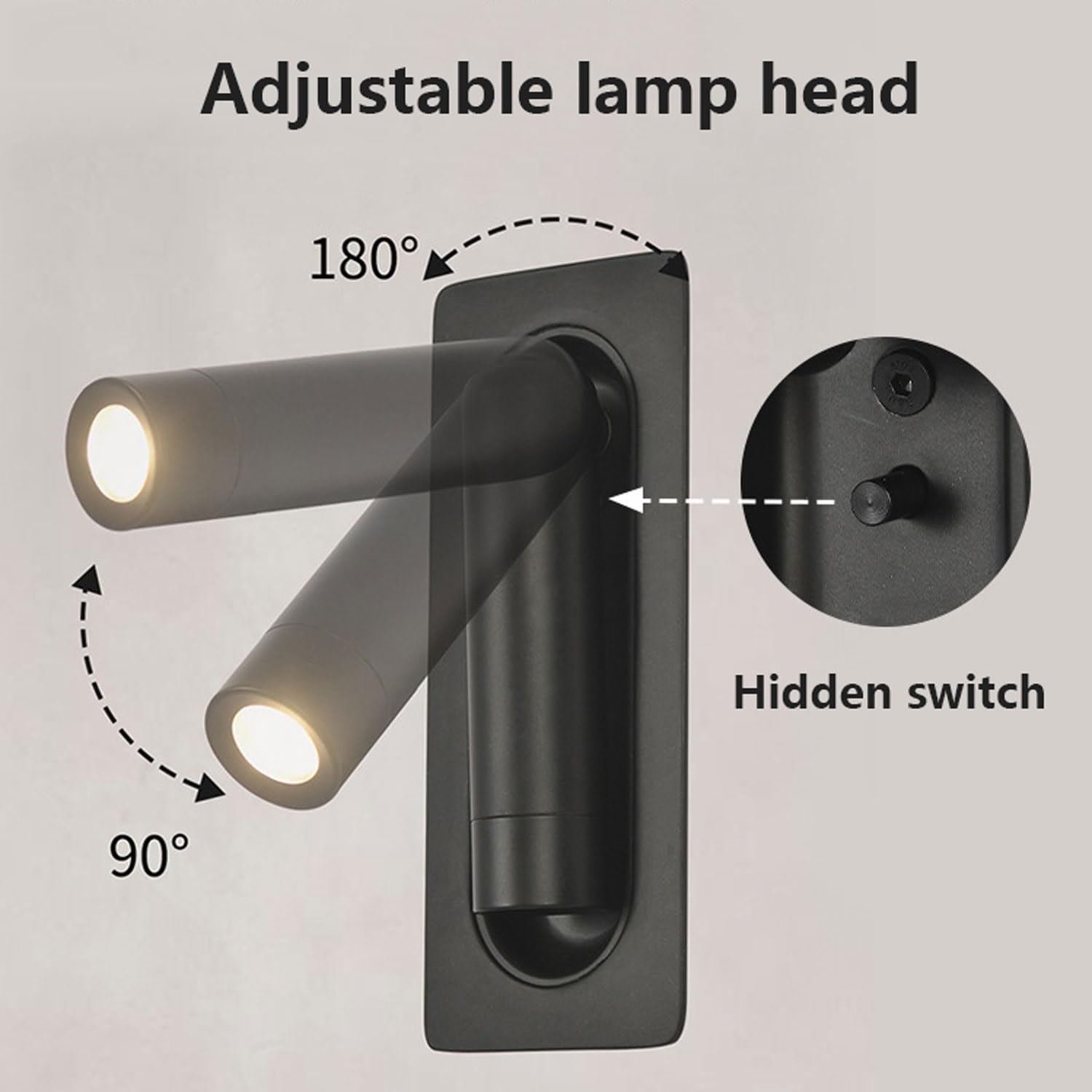
Check the Right-Side Headboard Edge
When facing the bed look closely at the right-hand side of the headboard. Many hotel models tuck a small toggle button or touch-sensitive strip along the frame edge.
Run your fingers along the side or behind the headboard where it meets the wall. You might feel a recessed switch that is invisible to the naked eye.
Pro Tip: Some switches are pressure-sensitive so tap firmly instead of trying to flip a lever.
Test Wall Switches Systematically
If no switch exists on the headboard move your attention to the wall switches. Do not assume the first or second switch controls the overhead light only.
In many rooms the third switch by the door controls ambient bed lighting. Follow this process:
- Flip each switch one by one while watching the headboard closely.
- Watch for subtle changes like dimming color shifts or delayed responses.
- Mark which switch works so you remember for next time.
❗ Common Mistake: Assuming all switches are labeled clearly. Most are not so test them all including those near the bathroom.
Look for Concealed Panels or Dimmers
Luxury suites often hide controls under panels or behind sliding covers. Check these specific areas:
- Under the nightstand surface
- Beneath the bed frame structure
- Behind removable trim near the baseboard
Some units have rotary dimmers disguised as decorative knobs. Turn them fully counterclockwise to shut off the light completely.
Use Digital Room Controls
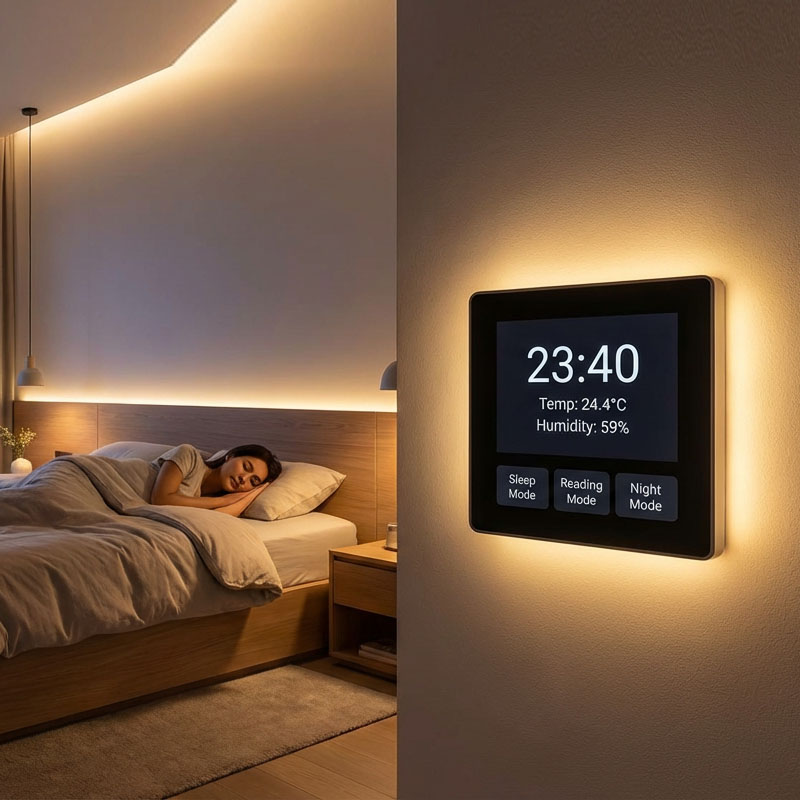
Smart rooms like MGM Resorts Executive Suites often rely on digital interfaces. Physical switches may do nothing in these advanced environments.
Operate the In-Room Touch Screen
Many high-end hotels install touchscreen panels on the nightstand or wall. Follow these steps to disable the headboard light:
- Tap “Lights” or “Ambient Lighting” on the main menu.
- Select “Bed Lighting” or “Under Bed Lights” from the list.
- Tap the power icon or slide the bar to “Off”.
⏱️ Time Estimate: This process takes 10 to 20 seconds once you locate the panel.
If the screen is unresponsive press the wake button or tap anywhere to activate it. Call guest services immediately if the system remains frozen.
Control Lights via Mobile App
Hotels like MGM let you manage lighting directly from your phone. This method works well when wall controls fail.
Steps to Turn Off via App:
- Open the MGM Resorts app or your specific hotel application.
- Go to “My Room” and select your current room number.
- Tap “Lighting Controls” to view available options.
- Find “Under Bed Lights” or “Headboard Lighting” in the menu.
- Toggle the switch to OFF.
📶 Note: This requires stable Wi-Fi so try switching between Wi-Fi and data if connection fails.
✅ Pro Tip: Save the app before bedtime so you do not wait until the light bothers you.
Activate Voice Commands
Your room may have Amazon Alexa or Google Assistant built in. Use voice control for a fast hands-free solution.
Effective Voice Commands
Speak clearly to ensure the device hears your request. Try these specific phrases:
- “Alexa turn off the under-bed lights”
- “Hey Google turn off bed lighting”
- “Alexa turn off ambient lights”
🎯 Success Tip: Be specific because saying “turn off the lights” might only kill overheads and miss the headboard LEDs.
Ensure the wake word is enabled and the smart hub is linked to your room. If voice fails the system may be offline so switch to app or manual methods.
Try Emergency Workarounds

Physical interventions guarantee darkness when all else fails. These methods are effective but require caution.
Unplug the Light Fixture
This is the most reliable fix for persistent lights that will not turn off.
How to Do It:
- Pull the mattress slightly away from the headboard carefully.
- Feel behind or underneath for a power cord connection.
- Unplug it from the wall socket or junction box gently.
⚠️ Caution: Do not force wires. If you cannot access the plug safely stop and call for help.
✅ Works 100% of the time if you can reach the power source without damage.
Remove the Light Bulb If Accessible
For detachable fixtures you can remove the bulb entirely. This stops the light emission immediately.
- Unscrew the bulb cover if one is present.
- Gently twist out the bulb in a counter-clockwise motion.
- Store it safely for reinstallation when you check out.
🛠️ Limitation: Many modern headboards use sealed LED strips with no removable bulbs.
Use Adaptive Sleep Strategies
Protect your sleep with simple personal solutions if you cannot mess with wiring. These strategies bypass broken systems entirely.
Wear a Sleep Mask
The easiest method blocks light without touching room controls.
- Blocks 100% of light instantly.
- Requires zero interaction with room systems.
- Portable and reusable for future trips.
🎒 Travel Hack: Pack a contoured sleep mask that does not press on your eyes for comfort.
This approach bypasses bad design entirely and is ideal for frequent travelers.
Sleep Elsewhere Temporarily
Some people have slept in bathtubs to escape glowing headboards. While extreme it is an option if:
- The light is unbearable and hurts your eyes.
- Guest services are slow to respond.
- You are highly light-sensitive and need immediate relief.
It is not ideal but better than no sleep at all.
Contact Guest Services
Call for professional help when nothing else works. It is often faster than you think.
How to Get Help
Use these channels to reach support staff quickly:
- Dial “0” or “Guest Services” on the in-room phone.
- Use the hotel’s mobile app chat function.
- Request a technician or front desk support explicitly.
🕐 Average Response Time: 5 to 15 minutes in major hotels.
Staff know the exact location of hidden switches and can reset smart systems instantly.
🗣️ Say this: “I cannot turn off the headboard or under-bed lighting. Can you help me disable it?”
Prevent Future Issues: Pro Tips
Avoid frustration next time with these smart habits before you settle in.
Map Switches on Arrival
Within 5 minutes of entering the room perform a quick audit:
- Flip every wall switch and note its function.
- Test nightstand buttons for hidden features.
- Open the lighting app and pair your device.
Create a mental map like “Third switch equals bed light” to save time later.
Download the Hotel App Early
Prepare before check-in to ensure smooth control:
- Download the hotel’s official app before arrival.
- Enable location services and login to your account.
- Familiarize yourself with the room controls section.
You will be ready before lights become a problem during your stay.
Pack a Sleep Kit
Include these items in your travel bag:
- High-quality sleep mask.
- Foam earplugs for noise.
- Portable eye mask with cooling gel.
You will sleep well no matter how “sneaky” the lighting design might be.
Frequently Asked Questions About Turning Off Headboard Lights
Where is the hidden switch for the headboard light usually located?
The switch is often on the right-hand side of the headboard when facing the bed. It may be a recessed button or touch strip hidden behind the frame edge.
What if the wall switches do not turn off the bed light?
Try the third switch by the door or check for a digital touch panel on the nightstand. You can also use the hotel mobile app or voice commands if available.
Can I unplug the headboard light to turn it off?
Yes you can pull the mattress away and unplug the fixture behind the headboard. Be careful not to damage wires or force connections while doing this.
How do I turn off under-bed lights in MGM Resorts suites?
Use the MGM Resorts app under “My Room” and select “Lighting Controls.” You can also use the in-room touch screen or ask Alexa to turn them off.
What should I do if the smart lighting system is frozen?
Restart the touch panel if possible or disconnect the power source behind the bed. Contact guest services immediately for technical support.
Is sleeping in a bathtub a common solution for bright hotel lights?
Some light-sensitive travelers sleep in bathtubs to escape glow. However wearing a sleep mask is a more comfortable and practical solution.
Key Takeaways for Turning Off Your Headboard Light
Learning how to turn off headboard light fixtures saves your sleep and sanity. Start by checking the right-side headboard edge or testing the third wall switch near the door.
Use digital tools like touch screens or mobile apps in smart suites. If technology fails unplug the fixture or wear a sleep mask to block the light.
Save this guide on your phone so you never lose sleep to a stubborn glow again.